

Building Visa Scope AI, Part 3: Making It Production-Ready
Building Visa Scope AI, Part 3: Making It Production-Ready
This is the third instalment of the Visa Scope AI build story. In Part 1, I developed the concept: building an AI-powered Spanish Digital Nomad Visa assessment tool to validate whether no-code platforms could deliver professional products. In Part 2, I began the technical build connecting seven systems (Carrd, Stripe, Make.com, Zoho CRM, Landbot, Google Docs, and Gmail) to create a working MVP that took payment, validated users with secure tokens, captured data via AI conversation, and delivered professional PDFs. After approximately 50 hours of work, I had a functioning prototype that proved the core concept.
But having a working prototype and having a professional product people will pay for are two very different things. Part 3 covers the journey from “it works” to “it’s ready to ship” and the fundamental limitations I discovered that forced me to rethink the entire approach.
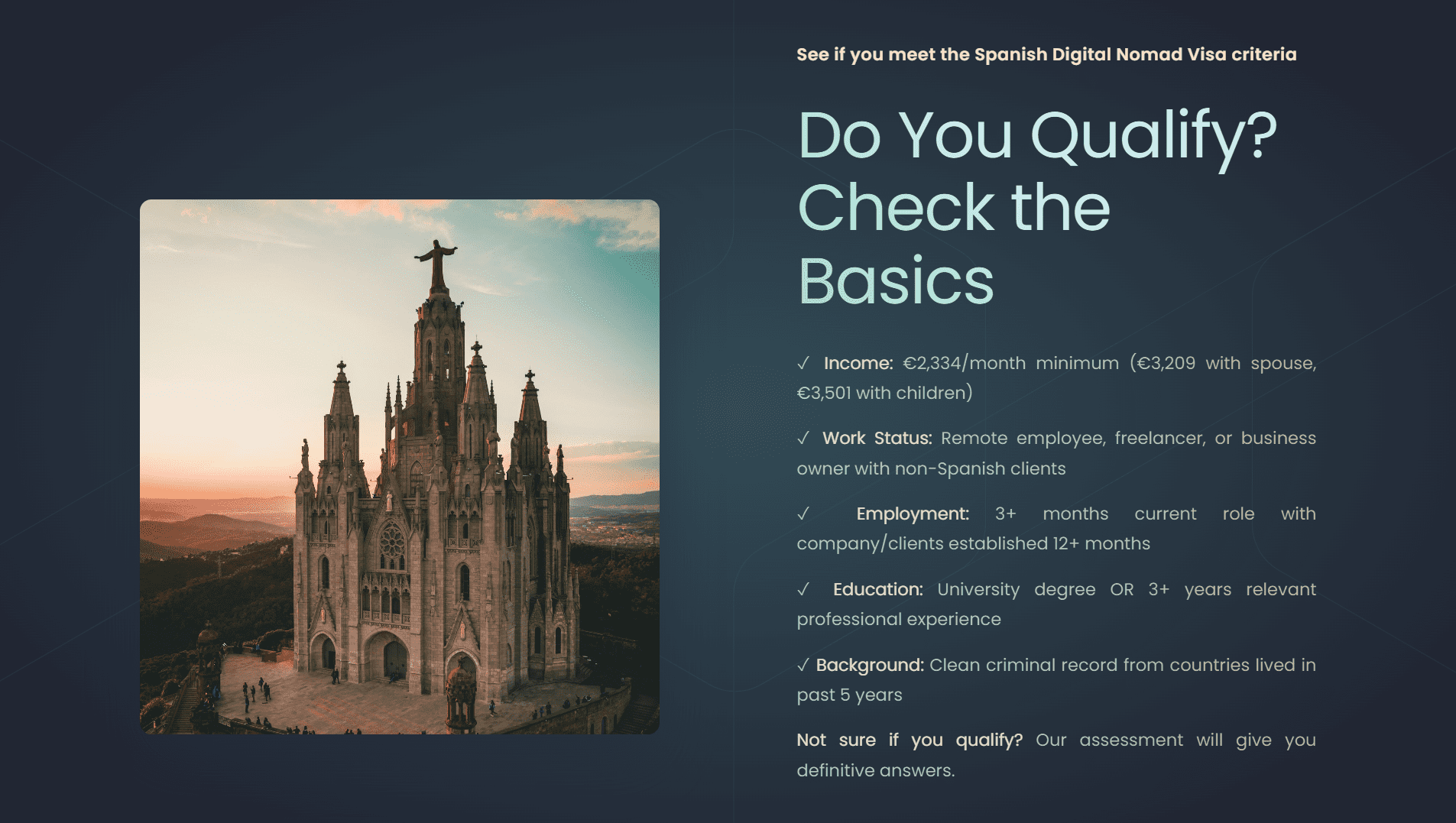
After reflecting on the technical MVP, I wrote a list of items that needed addressing before I could legitimately charge £49 for the service:
– Update the checkout experience
– Finesse the entire workflow to allow for token resends, identifying repeat customers and refining Zoho CRM
– Testing and fixing bugs
– Updating design in emails
– Updating PDF design
– Improving design of token validation pages and increasing the scenarios
– Creating privacy policies
– Ensuring GDPR compliance
– Adding additional security
– Improving the AI conversation to capture the complete data set
The product needed to be legitimate, handle data correctly and securely, and deliver something users would trust enough to use in an actual visa application..
The first item I wanted to cover was making myself GDPR compliant. I wanted to ensure that any data I collected was stored correctly and not kept longer than needed. I ran an assessment of which products in the workflow stored data, why they stored data, and made decisions as to how this should be retained or deleted. I checked that all products were using EU servers and were GDPR compliant.
Here’s what I established:
Stripe – Payment data. Stripe handles this professionally and in accordance with tax laws, so nothing for me to do there. They maintain their own compliance standards.
Make.com – Keeps workflow data for 30 days and is then automatically deleted. This is their standard retention policy.
Zoho CRM – I set automated deletion rules to delete records after 7 years. Nothing I store in Zoho is particularly sensitive personal data—it’s mostly data I create such as the token and deal stages. The personal details like name and email I do store, but for tax reasons I would potentially need those for 7 years anyway.
Landbot – Submitted conversation data is kept for 2 years and visible for 1 year. I can’t customise this, so I had to accept the product’s processes. This is clearly stated in their terms.
Google Docs – I decided to delete the PDF immediately after sending. Once it was delivered via email, I no longer needed the file in Drive, and I ensured that sensitive data was deleted immediately after the workflow completed.
Gmail – The sent email with the PDF was moved straight to the trash folder. This means it automatically deletes in 30 days, but I could retrieve it if needed within that window for customer support purposes.
After this review, I felt confident I had a defensible data retention strategy that balanced user privacy with legitimate business needs.
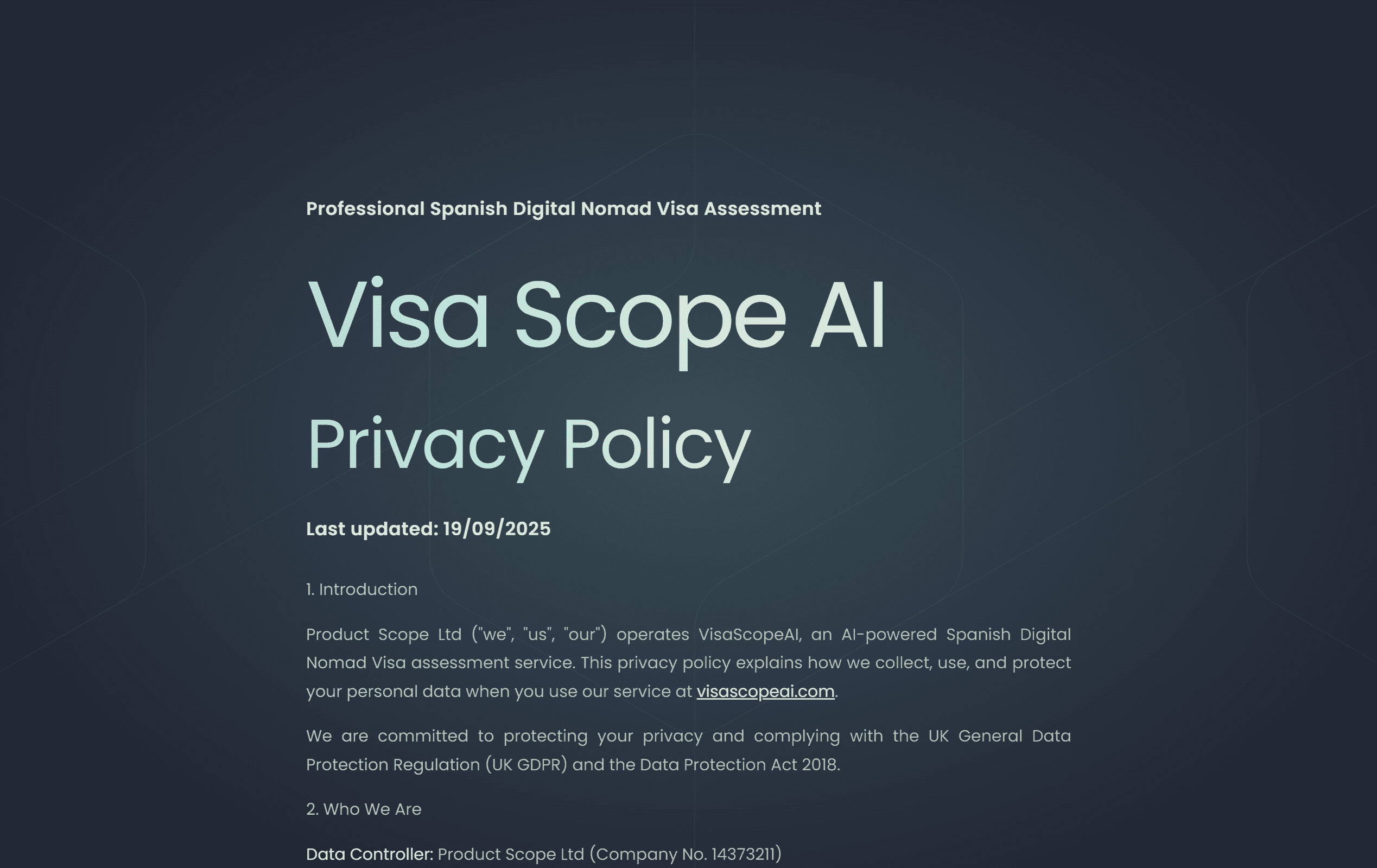
After the data review, I needed to write a privacy policy and terms of service. For both, I created new subdomains (privacy.visascopeai.com and terms.visascopeai.com) and used the same Carrd design, which allowed me to have multiple pages on my site whilst maintaining visual consistency.
I established the full rules of the processes including:
– Refund policy (no refunds after assessment completion)
– Right to request a new PDF if the original was lost
– How long the access codes were valid for after payment (24 hours)
– Data retention periods for each system
– User rights under GDPR
– Contact information for data requests
I was particularly clear about the process and made sure users understood what they were paying for: an information service, not legal advice or any guarantee of visa approval.
Once the terms of service were defined, I needed to make sure that Make.com and Zoho were configured correctly to support them.
I played with the limited custom fields that I had at my disposal in Zoho CRM to set dates as triggers. For example, if a token was not used after 30 days, the token would be marked as expired in the system. I also set up some scenarios in Make.com to send new tokens based on triggers in Zoho. For instance, if a customer contacted support saying their link had expired, support could update a field in Zoho which would trigger Make.com to generate and send a new token automatically.
My plan is to eventually have an AI agent manage customer support, so building these automated processes now should help me be able to guide and define that agent in future.
I also added in an initial scenario to identify repeat customers. I can’t have two accounts in Zoho with the same email or it will cause conflicts in the CRM. For a repeat customer, I created a conditional split in Make.com that only creates a new deal (which is what generates the Landbot access), but doesn’t create duplicate account or contact records.
Whilst working in Make, I wanted to ensure that users wouldn’t share the link to the Landbot page. I have a scenario that is always triggered when the validation page loads. It checks the user’s token and then either loads the error message or the Landbot iframe. But I wanted to stop users or bots hammering the page with invalid tokens.
I worked with Claude and ChatGPT to create a sophisticated system using the data stores in Make which logged the IP address of every click and decided if that user was spam. The first time an IP landed on the site, it would be recorded in the data store and then we would look up the records to see how many times they’d tried to access the page and block them if they exceeded a threshold.
It was a really successful technical implementation and taught me a lot about Make.com‘s data store functionality, which I’m sure will come in handy in future projects. But I ultimately dropped the feature.
I soon realised that by implementing this IP tracking system, each security pass used up seven Make.com operations compared to just three operations using the current token verification alone. So essentially I’d built something that cost more than double in platform credits and didn’t really deliver on my goal of preventing link sharing (since different users would have different IP addresses anyway).
Another two hours off target, but again a good learning. Knowing when to stop the exploration and cut losses was good decision-making. I will add that I kept a small feature that checks for the length of the tokens—if the token in the URL isn’t the correct length, the user doesn’t make it to the second verification stage, so I saved myself some credits there.
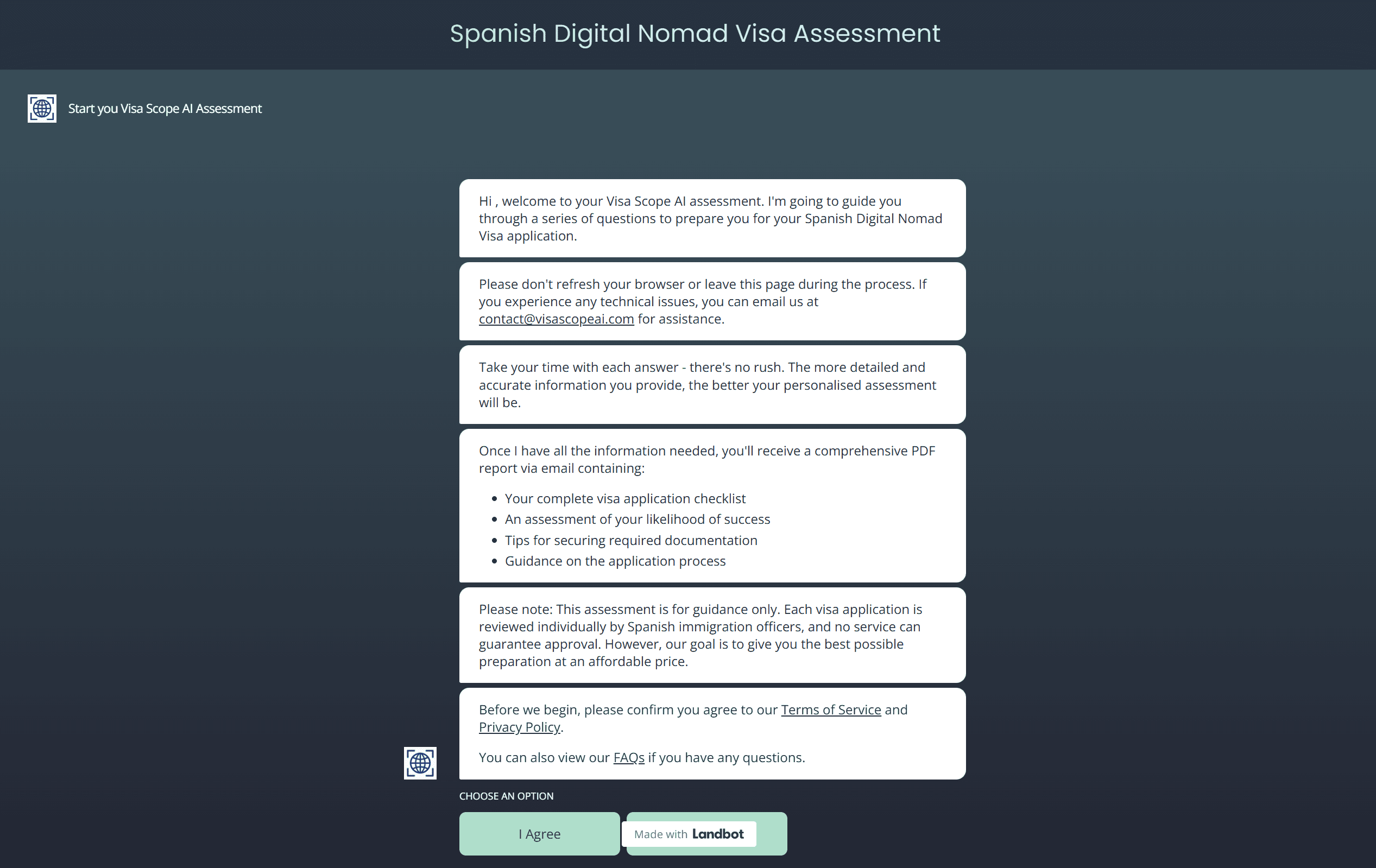
The next step was to improve the design of the landing pages when the user clicks on their access token. I asked Claude to update the JavaScript to include the styling of the website so that all messages (valid token, expired token, used token, invalid link) and the Landbot hosted screen matched the overall visual design.
This took a long time, especially when I hit the end of the conversation length with Claude. I found that I was asking Claude to make too many changes at once, and we often had a “one step forward but two steps back” result. One thing would be fixed but two other items were broken in the process.
After a while, I had a chat with Claude to ask what to do, and the response was: ask for one change at a time. This was a revelation. However, this experience is what made me wonder about “vibe coding” (the idea that Claude can just write entire applications). If I find getting one page of JavaScript, which is just providing validation and displaying messages, challenging, how can Claude reliably write entire apps? Well, I will find out in a future project.
I updated the messaging to include different scenarios:
Valid token: Welcome message and loads Landbot
Expired token: Directs user to customer services with their token reference
Used token: Explains the assessment has already been completed
Invalid link: Generic message for people trying to guess tokens
This means a user who had a valid token that has expired will be directed to customer services where they can get help, whereas someone trying to guess tokens will just see a generic security message.
I then updated the styles in the Landbot UI so that the iframe was nicely hosted in the page with proper padding and responsive behaviour. I also spent a lot of time trying to create a different mobile interface compared to desktop, but stopped as this was becoming a blocking issue. At some stage I want to build the interface in Lovable (or similar no-code app builders) and have a proper login system, but for this MVP I decided it could wait.
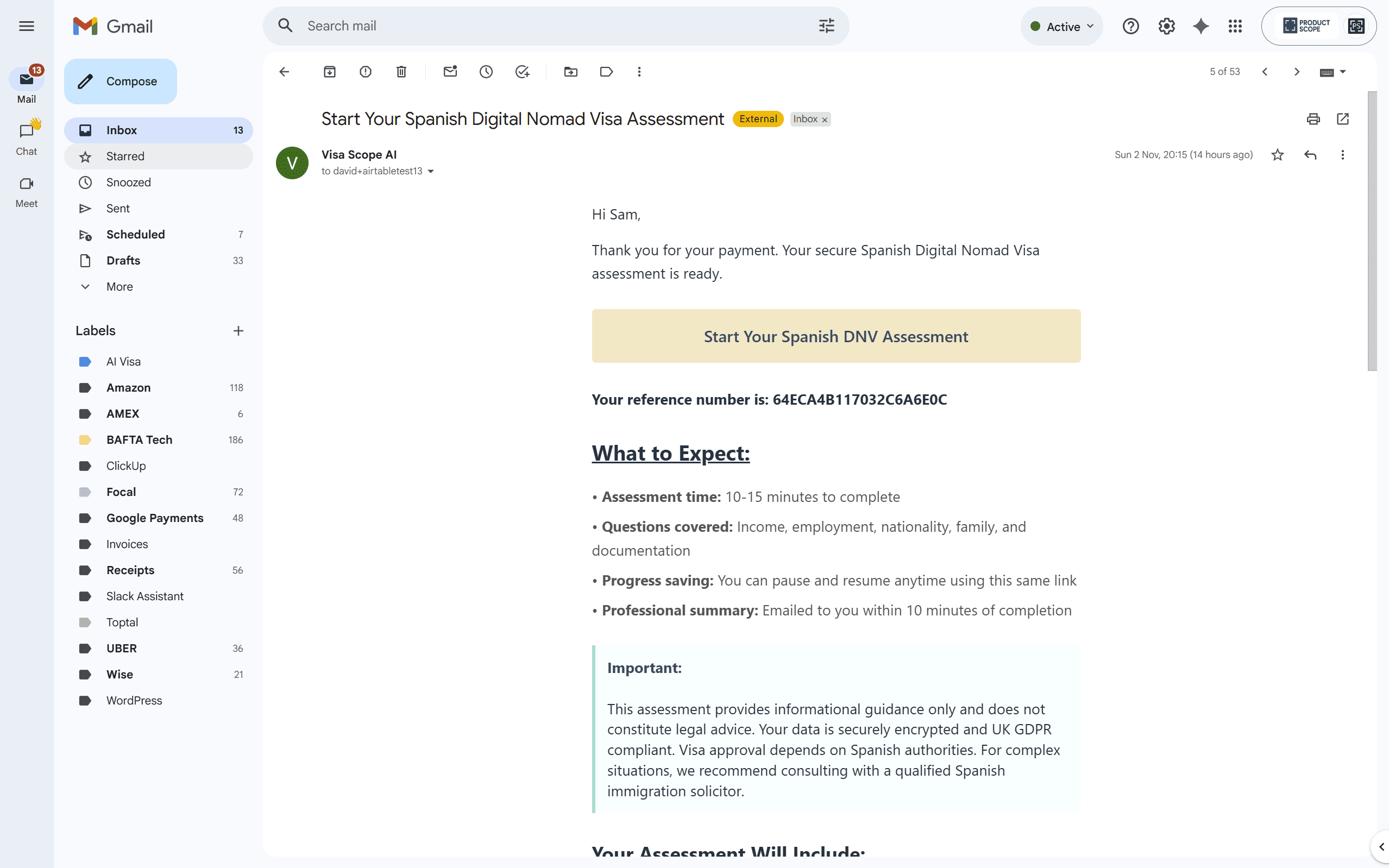
Once the web design was all brought into line, I wanted to update the emails. I had asked Claude to write me a brand guide earlier in the project, and I used this for the email designs. No real challenges here as once the HTML and CSS code was written, I used the Make Gmail modules to map the dynamic values (user name, token, etc.) and now have professional-looking emails. The styling matches the website, uses the same colours and fonts, and looks legitimate rather than like automated system emails.
So this just left the PDF..
I probably stuck too long trying to get Google Docs to look much nicer than it could handle. Claude would create these beautiful templates with proper formatting, multiple columns, styled headers, and professional layouts. Then when the document was generated through the Make.com Google Docs module, it looked terrible. The formatting would break, columns wouldn’t work, and the styling was completely lost.
I wanted to keep Google Docs because:
1. I was really happy with the Make.com workflow I’d built
2. I didn’t want to introduce yet another product to the stack
3. G Suite was already providing email, so losing document generation meant less value from that subscription
However, it eventually became untenable and I should have stopped sooner. Again, I’ve learnt to drop products and approaches quicker when they’re clearly not working, rather than trying to force a square peg into a round hole.
I decided to sign up with Eledo PDF after a lot of research and debating with ChatGPT. It came down to two factors:
Price plan: Eledo offers 300 free PDFs per month before charging, whereas other solutions either charged from the first document or had much lower free tiers
Make.com integration: Native integration meant I could swap it in fairly easily
The calculation was simple: until I hit 300 customers per month, I don’t need to pay anything extra for PDF generation beyond my existing Make.com subscription. I do know that this is something to watch in future as I scale, but it solves the immediate problem beautifully.
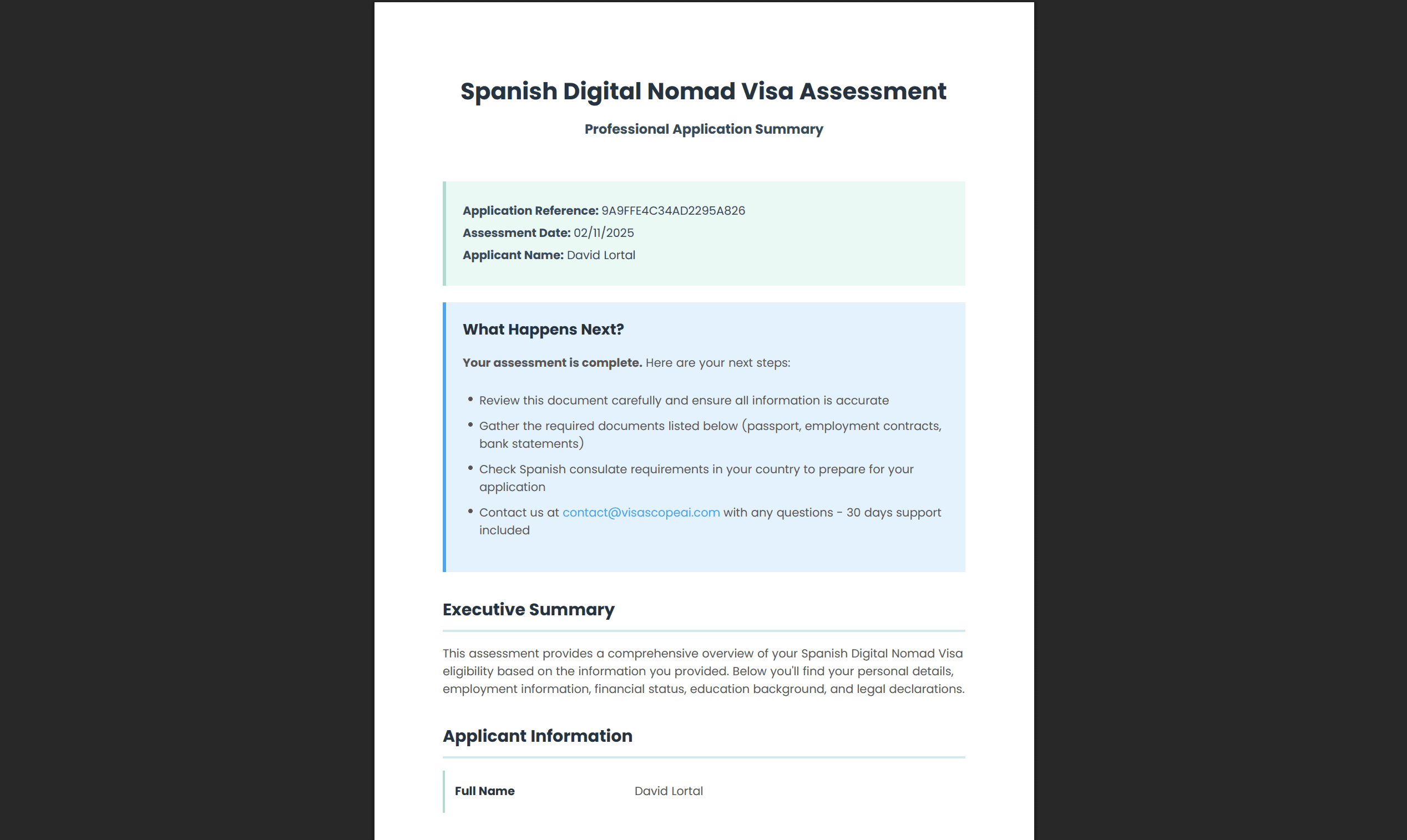
Once I started using Eledo, I was able to wire it in fairly easily. Claude provided some nice designs which kept breaking due to page limitations (you can only fit so much on an A4 page), but once I worked through the template instructions and understood the formatting rules, the values were easy to map from Zoho CRM fields.
I had a few confusing moments in Make.com as the Eledo component worked differently to how I expected. It requires the template ID, not the template name, and the field mapping is slightly different from Google Docs but pretty quickly I was emailing professional PDFs instead of the poorly formatted Google Docs.
Interestingly, I still have to store the generated PDFs on Google Drive in order to email them as attachments through Gmail. The Eledo module outputs the PDF, Make.com uploads it to Google Drive temporarily, then the Gmail module attaches it from Drive, and finally another Make.com module deletes the file from Drive. It’s a bit convoluted, but it works.
I spent considerable time getting the design of the PDF right. Again, this was a long process as I needed to think about how the data would appear as it changes based on what content is provided. For example, if someone has dependants, an entire section needs to appear; if they don’t, it should be hidden cleanly. If someone’s income is borderline, the advice needs to change.
It’s a challenge we face in Nucleus (my main client work) too, so having that previous experience was helpful. I ended up with a flexible design which will work in most circumstances and looks genuinely professional—something users could confidently submit as part of their visa application documentation.
So with all of the workflows upgraded to look professional, the data management and security in place, there was only one final task: to update the AI Agent in Landbot to be more intelligent and to gather the complete data set needed for a comprehensive Spanish Digital Nomad Visa assessment.
I gathered all of the visa requirements and worked through all of the details with Claude to come up with a complete data set of 70 questions that the AI would need to collect. These covered everything from basic personal details to complex scenarios around income documentation, family members, health insurance, criminal records, and specific Spanish visa requirements.
Landbot provides a UI where you can create variables/fields and give a little information as to what should be captured. The AI Agent has a knowledge base section (where you can upload documentation) and a prompt section which is limited to 6,000 characters.
I tried to be more specific and direct in the prompt as I’d found the AI really inconsistent in previous conversations.
For example:
The percentage display problem: I’d asked the AI Agent to update the user with the percentage completed (based on initial user feedback that people wanted to know how far through they were). However, I found that the AI was very sporadic in displaying the percentage. Sometimes it didn’t show it at all, and other times it told the user that they were “90% through” after just a couple of questions. There was no logic to it.
The validation problem: I wanted the AI to validate information intelligently. For example, I gave the instruction that it should question the user’s name if something looked incomplete. But rather than objectively verifying information that looked wrong, it then proceeded to ask every user specifically about their middle name—even when users had provided complete, normal-looking three-part names like “John Robert Smith”.
After reviewing the instructions I’d provided, I realised I needed to give the agent a specific list of the questions to work through, not just specify the field names and expect it to figure out what to ask. This took up a significant amount of the 6,000-character prompt space and meant I had to provide specific instructions for each answer.
The challenge was that I’d provided the agent with all of the official Spanish government documentation, real case studies, and detailed visa requirements in the knowledge base. I needed the agent to interrogate the answers—to push back when something didn’t make sense, to ask follow-up questions when income sources were unclear, to verify documentation requirements based on nationality. This level of contextual intelligence seemed to be beyond Landbot’s capabilities.
So instead, as I’d invested significant time and I wanted a working prototype ahead of my London trip where I planned to demo the product, I decided to see how it handled all 70 questions in sequence.
On my first test run with the complete 70-question set, the agent crashed.
I tried several times with the same result. I contacted Landbot support, who informed me that the agent could only handle 20 questions maximum. This was mentioned somewhere in their documentation, but the UI allows you to add as many questions as you want—there’s no validation or warning when you exceed 20 fields. I found this incredibly frustrating from a UX perspective.
Support informed me that I could use multiple agents to capture my data set of 70 questions, but this was a complete non-starter for me. Here’s why:
Cost Problem
My Landbot package limits me to 100 agent conversations per month. If I need 4 agents to collect 70 questions (roughly 18 questions each), that’s a 300% increase in costs per user. Instead of 100 potential customers per month, I could only serve 25. The economics completely fall apart.
Context Problem
The killer issue: agents have no knowledge of data provided in a different conversation with another agent. So even if I did spend the time getting the conversation flow to work across multiple agents, when a user—very reasonably—asked a question about a previous answer they’d provided in the last agent conversation, the current agent would have no knowledge of it.
This would require taking the user back to the relevant agent (using up yet another conversation from my monthly allocation), and the user experience would be absolutely terrible. Users could only provide data at specific times, couldn’t reference previous answers, and would feel like they were talking to multiple disconnected systems rather than one intelligent assistant.
User Experience Problem
I was also starting to realise a fundamental issue: sitting at your phone potentially providing 70 data items in a chat is possibly not the best method of data collection. I’d been moving away from traditional forms and trying to make this a more conversational experience. But maybe the large amount of structured data required for a complete visa assessment actually warrants a form-based approach, especially with the option to review and edit answers before submission.
The conversational interface works beautifully for 10-15 questions where the AI can be smart and contextual. But for comprehensive data collection, it might not be the right tool.

Although I now have a professional process which is ready to ship for simpler use cases, I’m still lacking the core element I set out to build: a comprehensive Spanish Digital Nomad Visa assessment tool that captures all required data.
I realised that Landbot was not sophisticated enough for my needs. But this raised a bigger question: is AI the right solution for my needs at all?
I often find that AI solutions are expensive and have serious data limitations. Maybe AI is still cheaper than paying a human to do the same work, but it’s not the radically cheap solution it’s often marketed as. Even the big AI companies aren’t turning a profit based on their current models. They’re pushing AI on us, saying it is the future, when that is actually a big bet that hasn’t been proven yet.
So far, even this relatively simple process is not working properly with AI. The real question is: is it the approach, the products, or me?
What other approaches can I take? I had been anticipating that I could make a profit from just one application per month using my current tech stack (cost: £68/month, revenue: £49/application would be break-even at 2 customers). But I was starting to wonder if my fundamental approach was wrong.
I decided to head back to the drawing board and look at the AI agent methods I’d learnt in September after attending some agent courses:
OpenAI now has an agent mode for ChatGPT with better memory management
Products like Lindy and n8n offer different approaches to AI automation
Make.com has their own agents feature
Building a custom solution might give me more control
What n8n has taught me is that I need an agent that can read and write to a database persistently. This would allow me to have multiple sessions, which is effectively “save progress” for the client. They could complete 20 questions one day, come back later and continue where they left off. The AI would have full context of all previous answers.
I think I need to build my own chat interface, which will allow me to explore tools like Lovable or similar products and move more into “vibe coding” (where I describe what I want and AI generates the full application). Should I be creating a proper user login system? Should I be using a proper database like Airtable or Supabase?
These are all questions for the next phase?
So yes, maybe I don’t have a product ready to ship just yet that I can turn into a startup. But that was just a nice-to-have outcome.
What I actually have is applied learning experience that directly supports my consulting work.
What I’ve achieved so far:
✅ Built a fully functional payment-to-PDF workflow
✅ Implemented professional security and GDPR compliance
✅ Created legitimate legal documentation (privacy policy, terms of service)
✅ Learned the limits of current AI conversational platforms
✅ Validated that the product works efficiently for smaller data sets (up to 20 questions)
✅ Identified exactly what’s needed for the next iteration
For smaller data sets—customer onboarding, lead qualification, simple assessments—the product works efficiently right now. This process has already enabled me to develop more products and workflows for clients.
I’ve set myself a target of one month for the next project phase, where I’ll explore:
– Building a custom chat interface with Lovable
– Using n8n for better agent orchestration
– Implementing a proper database for session persistence
– Creating a user login and dashboard system
– Testing whether “vibe coding” can really deliver complete applications
I’ll provide an update then. But definitely the core workflow I’ve built—payment processing, security, CRM integration, email automation, and PDF generation—is solid and reusable.
One of the products I’ve already built using these learnings is an AI agent personal assistant, which I will cover in my next post.