

Nucleus in 2025: A Year of Incremental Change
Nucleus in 2025: A Year of Incremental Change
As part of my fractional Product Manager role for BAFTA I manage two products: Nucleus, BAFTA’s awards management platform, and an events ticketing solution. I rarely stop to count the sheer amount of new features, feature updates, bug fixes and products delivered throughout each year.
When the dust settled at the end of 2025 I decided to take some time to review the team’s achievements and even I was blown away by the scale of what we’d achieved. For a small team with limited resources it is indeed a huge achievement.
In this post I plan to stay focused on Nucleus. I will post a further update in a few days to celebrate the features released in the Events product. Over the course of the next few weeks I will do a deeper dive into some of the more significant features launched, but for now let’s celebrate and recap.
Pricing and finance
After a Product Discovery ticket regarding pricing was submitted by one of the main stakeholders in the Awards team, I arranged a call to discuss it in more detail. It had become apparent that the awards pricing had become more complex and they were struggling to achieve what they needed within the current functionality.
I was loath to add more complexity to pricing which was already detailed and the UI was spread throughout the site. It wasn’t something I had an immediate answer for. However I like a challenge and after letting this run through my thoughts I saw this as an opportunity to unify all the pricing into one table.
I decided to take the idea to the CTO and asked his thoughts on how we could approach this. I wanted to create a single place to see and manage all their pricing and eliminate the confusion. The challenge was significant, but the developer who was issued the task did an amazing job.
The new Unified Pricing Management Interface consolidates all pricing options (per batch, per entry, per category, overrides, discounts and much more) into a single table on the Award Settings page. All the supporting database logic was updated. This resulted in far more flexible pricing scenarios and less fumbling for admins who could not see all the pricing options together.
Alongside this, we delivered Scenario-based Finance Rule Testing. Previously, complex pricing rules were impossible to validate without processing real entries and hoping the numbers came out right. The new system lets administrators create named test scenarios with expected VAT and non-VAT totals, run them against actual pricing rules and get immediate feedback on mismatches. It reduced the amount of testing time and the amount of credit notes required to refund test cases.
Beyond the major overhaul, we made smaller improvements to financial reporting: debtor numbers now sync with Stripe as metadata and were updated from five to six digits, new finance report variants with updated field mappings and decimal formatting for currency fields, finance teams can view invoices after awards are deleted through a new All Invoices view in Control Centre (critical for year-end audits), payment tracking gained “Requires Payment” and “Pending” status indicators, and payment graphs show actual entry numbers with tooltips instead of percentages that didn’t tell you much.
Judging setup
Judging periods are one of the most critical moments for clients. When judging goes wrong it’s visible and embarrassing for everyone. Most judges have limited time and are giving their time for free. Technical issues are not something anybody wants, so we invested a significant portion of this year into improving the process. Clients can now be more confident in the product and less stressed about managing their judges.
Entry Distribution Automation introduces rules-based assignment of entries to viewers: random, by submission date, or by approval date. This used to take hours of manual work. Now it takes minutes, and the distribution is more consistent than manual allocation could ever achieve.
The Recalculate Dependencies tool lets administrators review and update all dependencies across submitted entries. Valuable after configuration changes or when data integrity looks suspect. A companion tool for updating Submission and Approval PDFs refreshes all documents with current entry data, so exported records always reflect the latest information.
Bulk Viewer Creation now validates email formatting before submission. Sounds minor. But during busy judging setup, administrators might create hundreds of viewer accounts in a session. Catching errors at input prevents judging delays when invitations fail to send. It also ensures admins can be confident when setting up judges and know the correct users have been contacted.
Admin interface
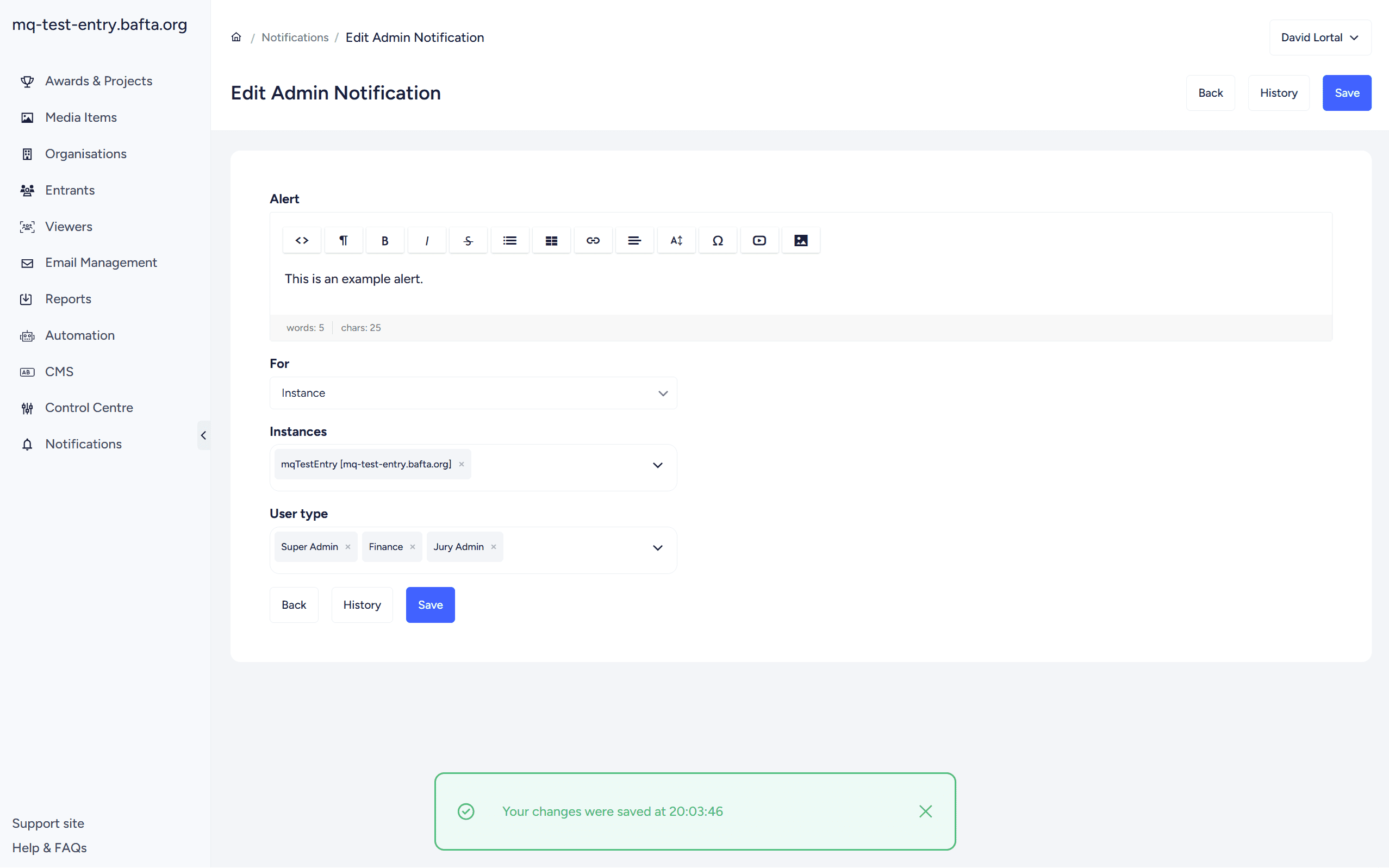
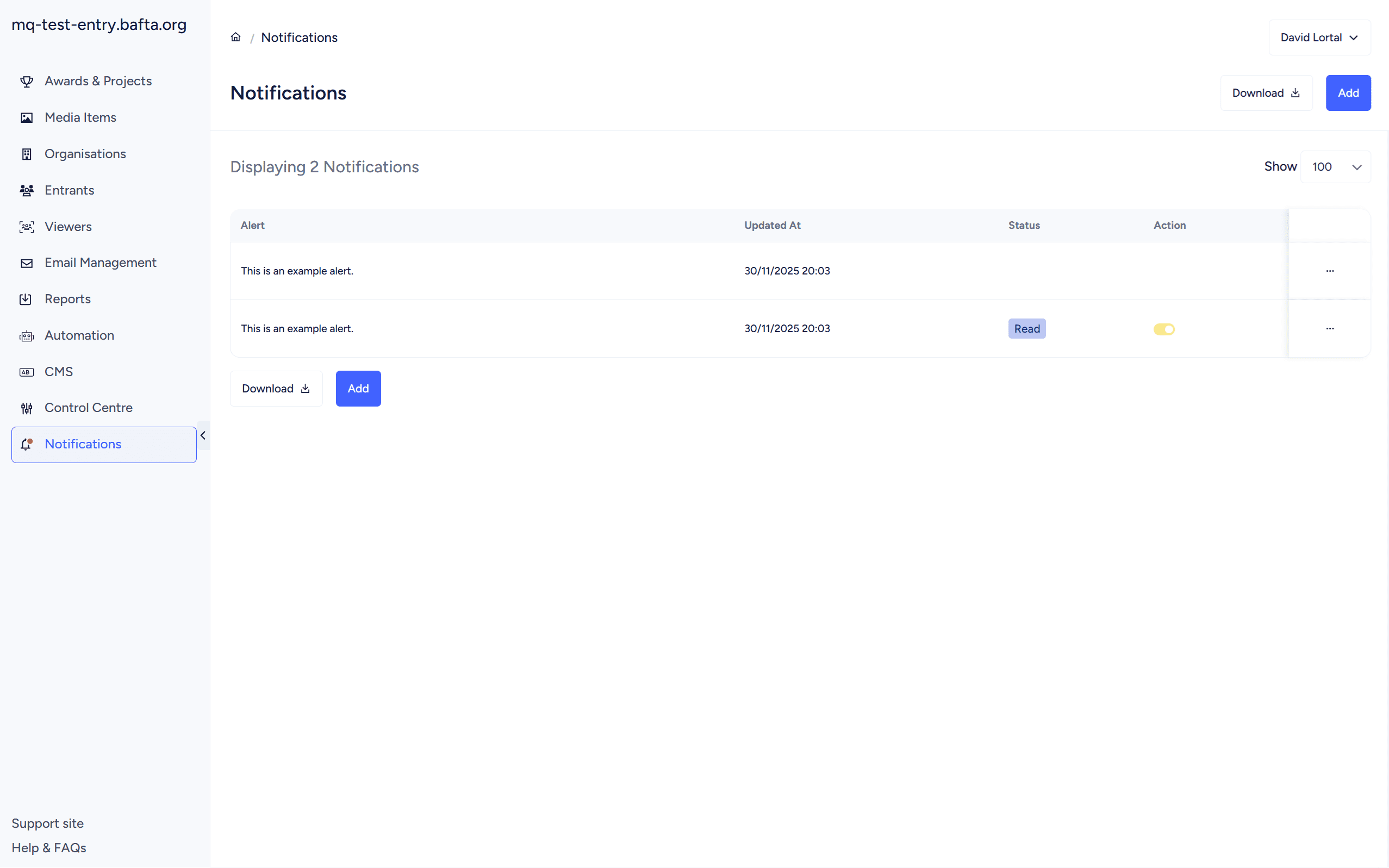
Effective communication with administrators became more important as the client base grew. The Admin Notifications system fills a gap where important information was sent via email, competing with dozens of other messages and easily missed. Messages now appear in a dedicated Notifications section in the left-hand menu, can be dismissed individually, and are tracked in the Action Log. Mid-year we added support for clickable links, so we can point administrators directly to help guides or release notes.
The Organisation Page got a complete UI redesign based on feedback about information density. Two-column layout for the address section, better visual hierarchy, cleaner formatting for user lists, and updated count displays for users and invoices. An Add User button now sits directly in the Organisation Users section, consolidating the workflow and reducing clicks.
CMS editing now works directly within Admin Preview Mode. The CMS function appears in an embedded frame, with an edit button providing quick access. Administrators can see exactly how their changes appear whilst making them. A small thing, but it removes context-switching.
Automated deletion of inactive viewer accounts addresses both system hygiene and data retention. Previously, viewer accounts remained in the system indefinitely, even if they’d never logged in. A configurable setting now specifies retention periods, with a default of 1095 days. Each deletion is recorded in the Action Log for audit purposes.
Table customisation became a major focus. The Entry List gained the ability to manage columns directly from the page itself. A new “Customise Table” option in the menu opens an interface where administrators can add or remove columns, reorder them by dragging, and choose from all entry form questions and Custom Report values. When duplicating awards, customised settings copy to the new project. The Question List received similar capabilities, with Type and Tag columns now separated into distinct multi-select filters.
We also introduced customisable admin status tags. Previously these were fixed system values that often didn’t match real workflows. Statuses like “Problem”, “Query”, “In Progress”, and “Pending” can now be tailored from the CMS page.
Collaboration and entry management
Team-based workflows required significant attention.
After I saw a support ticket from one of our clients about sharing bottlenecks, I asked them to jump on a call. A couple of things became apparent: normal users couldn’t share entries with teammates, only Entrant Admin Users could. This created unnecessary friction where entry owners needed admin intervention just to grant access.
The fix: normal users can now share entries with other users within their organisation. Entrant Admins gained even broader capabilities. They can share any entry with external users regardless of ownership, which helps when collaborating with partner organisations.
We also improved the shared entry experience. When collaborators outside an entrant’s organisation upload media to shared entries, those files now automatically appear in the entry owner’s media library as shared files. Previously this caused duplication and delays. Category information now displays clearly on shared entry pages too.
Award Tabs and Sections solved a usability problem where entrants faced a single long, unordered list of all available entry forms. Administrators can now group related forms under dedicated tabs and sections on the “Create New Entry” page. Particularly valuable for organisations like BAFTA Film where multiple related entry forms exist. The new layout improves navigation and helps entrants find the right award without scrolling through an unstructured list.
Entry status transitions gained clearer labels in the batch update menu. Options now show “Submitted → Approved” rather than just “Approved” as the destination. Covers all common transitions between Unsubmitted, Submitted, Approved, Requires Payment, and Unsuccessful. Makes bulk editing more intuitive and reduces the risk of applying the wrong change.
Upload Item locking post-submission prevents entrants from editing or removing uploaded content after submission. This addresses a data integrity issue where entrants could swap out media files after submission but before judging, creating confusion about what judges were actually reviewing.
Lock/Unlock Questions for Progression Awards came from observing a specific workflow problem. In multi-stage awards, when an entry progressed to a new stage, all earlier questions were automatically locked. This made sense for data integrity but created friction when legitimate edits were needed, and those requests came through as support tickets every time. I decided to tackle the issue head on.
The new system provides granular control through a padlock icon on the right-hand side of each question. Administrators can unlock specific questions on individual entries, allowing targeted edits without manual intervention from the support team. Support overhead for progression awards dropped noticeably. I’ll write a separate post on this one. It’s a good example of how a small UI change can eliminate a recurring operational burden.
The Form Population Tool was enhanced for entrants submitting to multiple awards. The tool maps data between entries based on internal question names. When configured correctly, it can significantly reduce re-entry time. This year’s improvements focused on making the mapping more reliable and providing clearer feedback when data can’t be automatically populated.
Media and design
The Media Library gained improvements based on support ticket patterns. Multiple simultaneous uploads are now supported. Each click of ‘Add New File’ opens a separate upload window rather than overriding uploads in progress. Previously, starting a new upload would reuse the same window and replace whatever was already uploading. This came up a lot in support.
Administrators can now download original source video files exactly as entrants uploaded them, even if transcoding has failed. Previously, diagnosing file issues required raising a support request and waiting for developer assistance. Resolution time went from hours or days to minutes.
Categories can be displayed in the Entry List using two options: Categories Minimal shows only the primary category with an expandable list; Categories Listed shows all submitted categories inline. This flexibility lets administrators configure views to suit each award’s needs. Category information is now included in approval email templates through a new placeholder, removing the need for entrants to log in just to confirm which categories were approved.
Following the admin interface redesign earlier in 2025, refinements continued throughout the year. Icons within the Award Settings menu were refreshed. Tags across the platform gained rounded corners matching button design, with new options and a stacked display format. The batch selection bar on the Entries page now remains visible even with fewer columns. Long filenames in the Media Items table wrap properly.
The Award ID now appears in dropdown menus and on the Awards List page. Important as the platform scaled to more clients running multiple annual awards with identical names.
Security and compliance
As the commercial client base expanded, security and compliance requirements became more prominent.
Admin passwords now require special characters. System logging was expanded to show ‘Changed from X to Y’ rather than just recording that a change occurred. Valuable when investigating configuration issues or understanding how settings evolved over time.
The Invoice tab displays conditionally based on payment settings, reducing clutter for awards not using invoicing. Access to invoices after award deletion was implemented through a new All Invoices view in the Control Centre. Financial data remains accessible for reporting and audits regardless of award status.
Translations now copy automatically when duplicating awards or questions, saving time for multilingual awards. Email templates are deleted automatically when their associated award is removed.
What this added up to
Across the year, these improvements reduced support volumes noticeably, cut setup time for new awards, sped up judging preparation, and gave clients better visibility over pricing and collaboration. I don’t have exact percentages (we don’t instrument everything) but the qualitative change was clear.
The work ranged from architectural changes like rebuilding pricing to subtle refinements that remove seconds from workflows repeated hundreds of times daily. None of this arrived as a single release. It accumulated across dozens of deployments until the platform felt genuinely different six months later.
Several larger developments will get dedicated posts: the pricing rebuild, collaboration workflows, progression award handling, and the validation systems.
Looking forward
Nucleus serves BAFTA’s internal awards whilst powering a growing commercial client base. Keeping it relevant requires steady delivery and a willingness to solve unglamorous operational problems, the ones that create the biggest real-world impact.
2026 will focus on judging workflows, configuration flexibility, and deeper automation. Several foundational changes made this year lay the groundwork for that.